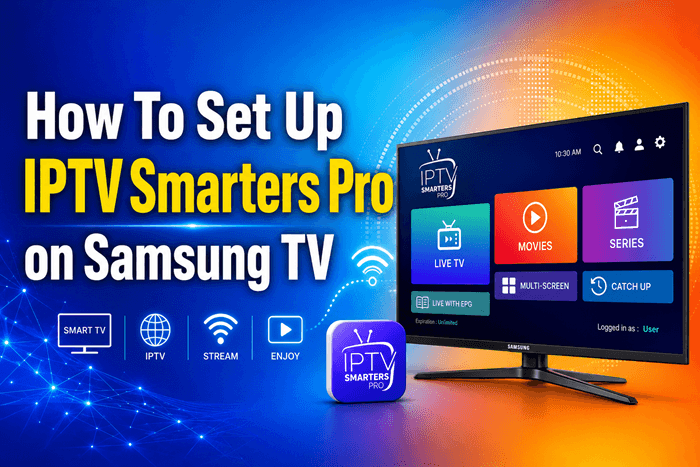
Setting up IPTV Smarters Pro on a Samsung Smart TV requires a workaround, since the app is not listed in Samsung’s Tizen Store. In this guide you will learn three reliable installation methods, how to load your M3U or Xtream Codes credentials, and what to do when playback fails. You will also find real-world setup experiences shared by users worldwide and clear guidance on staying within copyright law.
Is IPTV Smarters Pro Available on Samsung Smart TVs?
IPTV Smarters Pro is not available on the official Samsung Tizen App Store. Most Samsung TVs sold since 2015 run Tizen OS, which does not natively support Android apps. Owners of QLED, Neo QLED, Crystal UHD, and The Frame models need to sideload the app or use one of the alternatives discussed below.
Top IPTV Picks
Verified this month








What You Need Before You Start
Before installation, prepare the following:
- A Samsung Smart TV running Tizen OS 4.0 or newer
- A stable internet connection of at least 25 Mbps for HD or 50 Mbps for 4K
- Your IPTV subscription details (M3U URL or Xtream Codes login)
- A Windows or Linux PC on the same Wi-Fi network as the TV
- The IPTV Smarters Pro installation file from the official source
Method 1: Install IPTV Smarters Pro via Samsung Developer Mode
This method installs the app directly on Tizen OS and is the most permanent option.
Enable Developer Mode on Samsung TV
Open Smart Hub, select the Apps panel, and press 1, 2, 3, 4, 5 on your remote. A developer-mode dialog appears. Switch it to On, enter the IP address of your PC, and restart the television.
Sideload the IPTV Smarters Pro File
Install Tizen Studio on your PC and use Device Manager to connect to your TV’s IP. Push the IPTV Smarters Pro .wgt package using the Tizen CLI. After installation, the app icon appears at the end of your Apps row.
Real example: A Samsung Q70A owner in Toronto repeatedly failed to push the file because his PC was on the 5 GHz Wi-Fi band while his TV was on 2.4 GHz. After connecting both devices to the same band, installation completed in under two minutes. This is the single most common cause of “connection refused” errors in households running mesh routers.
Method 2: Screen Mirroring from Android or iOS to Samsung TV
If sideloading feels too technical, mirror your phone instead. Install IPTV Smarters Pro on an Android device and use Samsung Smart View, or use AirPlay 2 from an iPhone on Samsung models from 2018 onward. Open the app on your phone, start playback, and cast to the television. The trade-off is that the phone must stay active throughout.
Real example: A user in Manchester used screen mirroring to watch Premier League matches but found her Galaxy S22 overheating after about 40 minutes, which dropped the stream during the second half. She switched to Set IPTV on her Tizen TV and removed the phone from the chain entirely.
Method 3: Use a Compatible Alternative App on Tizen
When recent Tizen firmware blocks sideloading, native alternatives work just as well. The most reliable options globally are:
- Set IPTV, available directly in the Samsung App Store
- Smart IPTV, sideloaded since its removal from several regional stores
- OTT Player, a lightweight Tizen-native client
These apps accept the same M3U URL or Xtream Codes credentials used in IPTV Smarters Pro.
For a smoother streaming experience on Samsung devices, explore our Best IPTV for Samsung guide before choosing a service.
How to Add Your IPTV Playlist or Xtream Codes Login
Open IPTV Smarters Pro and select Add New User. Two main options appear:
- Load Your Playlist or File: paste the M3U URL from your provider
- Login with Xtream Codes API: enter portal URL, username, and password
Name the profile, then tap Add User. Channels, categories, and EPG data load within a few seconds.
How to Set Up the EPG (TV Guide) in IPTV Smarters Pro
The Electronic Program Guide makes navigation feel like a normal cable box. Open Settings inside IPTV Smarters Pro, choose EPG, and paste the XMLTV URL supplied by your provider. Many providers offer separate XMLTV feeds for different regions. Refresh the guide and channel timelines populate within a minute.
Real example: A user in Sydney noticed that his EPG showed program data only for US channels. He discovered his provider used two XMLTV feeds and adding the region-specific feed restored the guide for local Australian networks. Always check whether your provider supplies a localized guide URL.
How to Update IPTV Smarters Pro on Samsung TV
Tizen will not auto-update sideloaded apps, so updates are manual. Download the latest .wgt file from the official IPTV Smarters source, re-enable developer mode on the TV, then push the new file with Tizen Studio. Existing profiles, EPG settings, and playlists remain intact. Updates typically arrive every two to three months and usually fix codec or buffering issues on newer Samsung models.
Common Setup Problems and Fixes
App Won’t Install or Crashes on Launch
Confirm the TV and PC share the same network. Developer mode expires after a few days and must be re-enabled. Use the latest Tizen Studio build, since older versions fail on 2023 and later models.
Buffering, Freezing, or Black Screen Issues
Test your playlist URL in VLC on a desktop to confirm the source is healthy. If VLC plays smoothly but the TV stutters, the cause is bandwidth or DNS routing. Switching DNS to 1.1.1.1 (Cloudflare) or 8.8.8.8 (Google) resolves freezing on many ISP networks worldwide.
Real example: A user in Chicago experienced constant buffering every evening after 8 PM on a 300 Mbps cable connection. Changing the TV’s DNS to Cloudflare’s 1.1.1.1 eliminated the problem instantly, confirming that ISP routing, not bandwidth, was the cause. The same fix has been reported by users on BT in the UK, Telstra in Australia, and Airtel in India.
Which Method Should You Use?
| Method | Difficulty | Persistence | Video Quality | Best For |
| Sideload APK | Hard | Permanent until firmware update | Native 4K | Tech-savvy users |
| Screen Mirror | Easy | Session only | Up to 1080p | Quick testing |
| Alternative App | Medium | Permanent | Native 4K | Most users globally |
What Users Around the World Say About IPTV Smarters Pro on Samsung TV
Community discussions on Reddit’s r/IPTV, AVForums, and the Tizen subreddit reveal a consistent pattern across regions. Users praise the clean interface and the dual M3U and Xtream Codes support. Frustration usually centres on three points: developer mode expiring without warning, Samsung firmware updates breaking sideloads, and inconsistent EPG quality between providers.
A common viewpoint shared by users from the UK, US, Canada, and the Middle East is that Set IPTV offers a smoother long-term experience on Tizen, because it survives firmware updates. IPTV Smarters Pro is still preferred when users own multiple device types and want the same interface across phone, tablet, Firestick, and TV.
Should You Use a VPN With IPTV Smarters Pro?
Many ISPs apply traffic shaping during peak evening hours, which can cause buffering even on fast connections. A reliable VPN can stabilize streams and bypass geo-restrictions on legitimate international channels. VPN use is legal in most countries, though it does not change the legality of the content you stream. Always verify VPN rules in your country before connecting.
Is IPTV Smarters Pro Legal to Use?
The IPTV Smarters Pro application is a neutral media player and is legal to install in nearly every country. Legality depends entirely on the subscription source. Streaming from unauthorized providers is illegal in most jurisdictions, including the United States, United Kingdom, Canada, Australia, and across the European Union. Several countries have prosecuted users in 2024 and 2025 for subscribing to unlicensed IPTV resellers, so always choose a licensed provider.
FAQ
Can I download IPTV Smarters Pro from the Samsung App Store?
No, IPTV Smarters Pro is not listed in the Samsung Tizen App Store. Users must sideload it through developer mode, mirror it from a mobile device, or install a Tizen-native alternative such as Set IPTV.
Does IPTV Smarters Pro work on Tizen OS?
Yes, IPTV Smarters Pro runs on Tizen OS only through sideloading, since Samsung Smart TVs do not use Android. Installation requires developer mode and Tizen Studio on a PC to push the application file to the television.
How do I add an M3U playlist to IPTV Smarters Pro?
Open the app, choose Add New User, select Load Your Playlist or File, paste your provider’s M3U URL, and tap Add User. Channels and the EPG load automatically within seconds.
Why does IPTV Smarters Pro buffer on my Samsung TV?
Buffering usually results from slow internet, ISP throttling, or a weak playlist server. Use a wired Ethernet connection, switch DNS to 1.1.1.1, and verify the M3U URL in VLC to isolate the cause.
What is the best alternative to IPTV Smarters Pro on Samsung TV?
Set IPTV is the best Tizen-native alternative because it installs directly from the Samsung Store and accepts both M3U and Xtream Codes logins. Smart IPTV remains a strong sideloaded option for users worldwide.
Is using IPTV Smarters Pro legal?
Yes, the IPTV Smarters Pro app itself is legal in most countries. However, streaming from unlicensed providers violates copyright law in jurisdictions including the US, UK, Canada, Australia, and the EU, and may result in penalties.
Conclusion
IPTV Smarters Pro is not available natively on Samsung Smart TVs, but developer-mode sideloading, screen mirroring, and Tizen-native alternatives all deliver the same result. Real user experiences from Toronto, Manchester, Sydney, and Chicago show that most setup problems stem from network mismatches, DNS routing, or expired developer mode, not the app itself. Choose the method that matches your technical comfort, rely only on licensed IPTV providers to stay compliant with local law, and use a wired connection to eliminate the majority of playback issues.