VocoTV Review
If you have ever paid a bloated cable bill, flipped through 300 channels, and still found nothing worth watching, you know exactly how frustrating traditional TV can be. More people are cutting that cord every year, and IPTV subscriptions have become the go-to replacement. VocoTV sits in that space, offering 17,000+ live channels, a VOD library of 40,000+ titles, and PPV events starting at $15 a month. But does it actually hold up in daily use
This review breaks down everything worth knowing before you commit: channel quality, streaming reliability, device support, pricing, and a few things that stood out during testing.
Top IPTV Picks
Verified this month







Voco TV Quick Summary
| Feature | Details |
| Service Name | VocoTV |
| IPTV Channels | 17,000+ |
| VOD Availability | 40,000+ titles |
| Free Trial | 24-hour free trial |
| Supported Devices | Firestick, Android TV, Apple TV, MAG, Formuler, iOS, Windows PC, Tablets |
| Streaming Quality | SD, HD, FHD, 4K |
| Pricing Starting Point | $15.00/month |
| Overall Rating | ⭐ 4.1 / 5 |
Rating Methodology: The score weighs channel variety, streaming reliability, device compatibility, setup experience, pricing value, and feature availability including EPG, VOD, and PPV. No single category dominates. It reflects what a typical subscriber would experience week to week.
What is VocoTV IPTV?
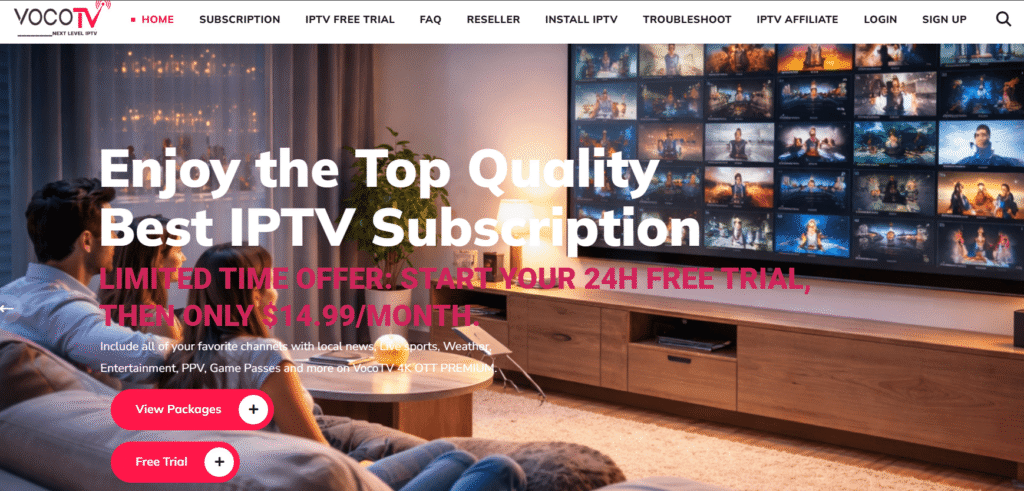
Voco TV is an IPTV subscription that streams live TV channels, on-demand content, and PPV events over a regular internet connection. It targets cord-cutters across the United States, Canada, the United Kingdom, and Europe, positioning itself as a leaner, cheaper alternative to cable and satellite. The app runs across a wide range of devices, and with no IP lock in place, subscribers can log in from any location without restrictions.
Key Features of VocoTV IPTV
- Massive Channel Library: Over 17,000 live channels span the US, Canada, UK, and Europe, covering sports, news, entertainment, kids programming, and a solid mix of international content.
- On-Demand Video Library: With 40,000+ titles on demand, there is enough to keep most households busy between live viewing sessions. The catalog includes movies, TV series, and a variety of specialty content.
- PPV and Sports Events Included: Sports and Pay-Per-View events come bundled into every standard plan at no extra charge. Many competing providers treat PPV as an add-on, so this inclusion is worth noting for sports fans.
- Electronic Program Guide (EPG): A full EPG lets subscribers browse current and upcoming schedules across live channels. It gives the whole experience a familiar feel, much closer to traditional TV than scrolling through a plain channel list.
- No IP Lock: There are no location restrictions tied to a VocoTV account. Whether you are at home, at a hotel, or traveling abroad, the login works the same way.
- 4K and HD Streaming Support: Streams are available in SD, HD, Full HD, and 4K. The quality you actually get depends on your connection speed and what the broadcaster is sending out, but the infrastructure is built to handle premium feeds where they exist.
- Wide Device Compatibility: The app works on Amazon Firestick, Android TV, Apple TV, MAG and Formuler boxes, iOS and Android phones, tablets, and Windows PCs. Most households will not need to buy any new hardware.
- Multi-Room Support: Up to five simultaneous connections are available per account, which makes it a reasonable pick for families where different people want to watch different things at the same time.
- M3U and Xtream Codes Support: For those who prefer not to use the native app, VocoTV works with M3U playlists and the Xtream Codes API. That means it connects cleanly to third-party players like TiviMate, IPTV Smarters Pro, and GSE Smart IPTV.
- 24/7 Technical Support: Live chat runs around the clock, with a ticket system as a fallback. A 30-day money-back guarantee is also in place for cases where a technical issue cannot be resolved.
VocoTV Pros and Cons
| ✅ Pros | ❌ Cons |
| No IP lock, login from anywhere | Channel count is lower than some competing providers |
| 24/7 live chat and ticket support | VOD library is smaller than higher-priced competitors |
| Up to 5 simultaneous connections per account | |
| Simple installation, no technical background needed |
VocoTV Pricing Plans
| Plan | Price |
| 1 Month | $15.00 |
| 3 Months | $40.00 |
| 6 Months | $60.00 |
| 12 Months | $120.00 |
Every plan includes one connection, live TV with EPG, VOD, PPV and sports events, and the no IP lock policy. Multi-room setups supporting up to five connections are available by reaching out to support directly. Payments go through Visa, Mastercard, Discover, or cryptocurrency, and VocoTV stands behind subscriptions with a 30-day money-back guarantee when issues cannot be resolved.
One thing worth highlighting for anyone cautious about IPTV billing: each plan is a straightforward one-time payment with no hidden auto-renewal. You pay for the period, it runs out, and you decide whether to renew. Transactions run through 256-bit encryption, and gift cards are not accepted, which keeps everything clean and traceable. For a category where billing surprises are not uncommon, that kind of transparency is genuinely reassuring.
Streaming Performance and Reliability
In testing across Firestick and Android TV, VocoTV performed consistently well for everyday viewing. Sports and news channels loaded in two to four seconds on a 50 Mbps connection, and HD feeds held steady through longer sessions without dropping. The occasional hiccup appeared on certain premium channels during busy evening hours, which is not unusual for IPTV at this price range. It did not happen often enough to become a recurring frustration, but it is worth setting realistic expectations going in.
Where 4K feeds were actually available, the picture quality was sharp and noticeably better than HD. That said, not every channel in the 4K category delivers it reliably. The EPG updated without lag, and flipping between live channels was snappy enough that it never felt clunky. One observation worth flagging: running the app through a VPN added a small but perceptible delay on live content. If live sports or news is a priority, connecting without one gives noticeably better results.
User Experience and Interface
The layout is clean and easy to navigate. Live channels are organized by category, the VOD section sits on its own, and the EPG is easy to reach without hunting through menus. Anyone switching from cable for the first time should find their footing quickly.
Search worked well in testing and returned results without any noticeable lag. Browsing VOD by genre felt reasonably organized, and most titles opened without a long wait. On Firestick, remote navigation was smooth throughout. Scrolling through long channel lists stayed responsive, and there was no frustrating input delay between button presses. The one area that could feel slightly barebones is the VOD browsing experience. It gets the job done, but users coming from Netflix or similar apps may find it a little sparse in terms of visual polish.
VocoTV Review: Best Alternatives
Stream IPTV 4k
Stream IPTV 4k is an IPTV service that gives you over 20,000 live channels and thousands of movies and series in 4K quality. You can connect five devices at once, enjoy anti-freeze technology, 99% uptime, and test everything with a free 36-hour trial.
Velino TV
Velino TV is a European IPTV service offering more than 55,000 channels and 90,000 movies and series. It delivers live sports in 4K and 8K quality, anti-freeze technology, and 99.9% uptime. You get fast channel switching, multi-device support, and a money-back guarantee.
VocoTV Setup and Installation on Firestick
Setting up VocoTV on a Firestick takes around ten minutes from start to finish and does not require any technical background.
Step 1 – Enable third-party apps: On your Firestick, go to Settings, then My Fire TV, then Developer Options. Turn on “Apps from Unknown Sources” to allow installs from outside the Amazon App Store.
Step 2 – Install the Downloader app: Head to the Amazon App Store, search for “Downloader,” and install it. This is what you will use to bring the VocoTV app onto the device.
Step 3 – Enter the VocoTV app URL: Open Downloader and type in the download URL found in your welcome email or on the installation tutorials page at vocotv.com. Confirm and let it download.
Step 4 – Install the app: When the download finishes, hit “Install” on the prompt, then “Open” to launch VocoTV for the first time.
Step 5 – Log in: Enter the username and password from your confirmation email. The channel list and VOD library load within a few seconds.
Step 6 – Start watching: Browse live channels through the EPG or head straight to VOD. Categories make it easy to find sports, news, or entertainment without scrolling endlessly.
During the test run on a 4K Firestick, everything went without a hitch. The playlist loaded cleanly, login took seconds, and a live channel was up and running well within ten minutes of starting.
Final Verdict
VocoTV is a well-rounded mid-range IPTV option that gets the core experience right. Bundling PPV and sports events into every plan at no extra cost sets it apart from quite a few competitors who charge separately for those. The no IP lock policy, five-connection support, and broad device compatibility make it a practical fit for different households and viewing habits.
Where it shows its limits is in raw catalog size. Providers at the same or slightly higher price point offer more channels and a deeper VOD library. For some subscribers that will matter, for others it will not. At 17,000+ channels and 40,000+ on-demand titles, most viewing needs are covered without much trouble.
The 24-hour trial lets you test the streams before spending anything, and the 30-day money-back guarantee gives room to back out if something does not work as expected. For cord-cutters who want a stable, well-supported IPTV subscription without overpaying or overcomplicating the setup, VocoTV is a reasonable and reliable choice.
Final Score: 4.1 / 5
This review is for informational purposes only. Users should ensure the IPTV service they choose complies with local copyright laws and content licensing regulations.
Frequently Asked Questions
Is VocoTV compatible with TiviMate or IPTV Smarters Pro?
Yes. VocoTV supports both M3U playlist format and Xtream Codes API, so connecting to third-party players like TiviMate, IPTV Smarters Pro, or GSE Smart IPTV works without any workarounds.
Is VocoTV a legal IPTV subscription?
VocoTV delivers streaming content over an internet connection. Whether specific channels are legal to watch depends on copyright and broadcasting laws in your country. Verifying compliance before subscribing is the subscriber’s responsibility.
What devices work with VocoTV?
It runs on Amazon Firestick, Android TV, Apple TV, MAG and Formuler boxes, iOS and Android phones, tablets, and Windows PCs. Most common streaming setups are covered without needing additional hardware.
Does VocoTV offer a free trial?
A 24-hour free trial is available. It gives enough time to test stream quality, channel loading speeds, and overall reliability before committing to a paid plan.
What should I do if VocoTV keeps buffering?
Buffering is usually a connection issue rather than a problem with the subscription itself. A minimum of 25 Mbps is recommended for HD streams. Restarting the router, switching to a wired connection, or clearing the app cache tends to resolve it in most cases.
Can I use VocoTV on more than one screen at a time?
Standard plans include one simultaneous connection. Multi-room packages supporting up to five concurrent streams are available by contacting support directly.
How do I get a refund from VocoTV?
A 30-day money-back guarantee applies when a technical issue cannot be fixed. Refund requests go through the support ticket system or live chat.
Does VocoTV include sports and PPV events?
Sports channels and Pay-Per-View events are part of all standard plans at no extra cost, which is a practical advantage over providers that charge separately for live events.