Krooz TV Review: Features, Pricing, Setup, Performance
Streaming should feel simple. You choose a channel, press play, and the content should load without turning your evening into a troubleshooting session. That is where IPTV services like Krooz TV try to stand out, especially for users who want live TV streaming, sports, movies, and international channels without relying on a traditional cable package.
Top IPTV Picks
Verified this month







In this Krooz TV Review, I looked at its channel offering, VOD access, pricing, setup process, supported devices, and real-world usability. The goal is not to hype the service. It is to help you understand where Krooz TV feels useful, where expectations should stay realistic, and whether this IPTV provider fits the way you actually watch TV.
Quick Summary Table
| Item | Details |
| Service name | Krooz TV |
| IPTV channels | 16,000+ |
| VOD availability | 40,000+ |
| Free trial availability | 24-hour free trial |
| Supported devices | Firestick, Android TV, Smart TVs, Android devices, iOS, Windows PC, MAG, Formuler, Enigma2, Dreambox, Vu+, Kodi, VLC, and M3U/portal-supported devices |
| Streaming quality | HD, Full HD, SD, and some 4K streams |
| Pricing starting point | $15 for 1 month |
| Overall rating | 4.1/5 |
The overall rating is based on channel variety, IPTV streaming reliability, device compatibility, setup flexibility, pricing value, and feature availability such as VOD, EPG support, and multi-device access. Krooz TV supports devices such as Smart TVs, Android, Amazon Fire Stick, Kodi, MAG, and M3U or portal-compatible platforms.
What is Krooz TV?
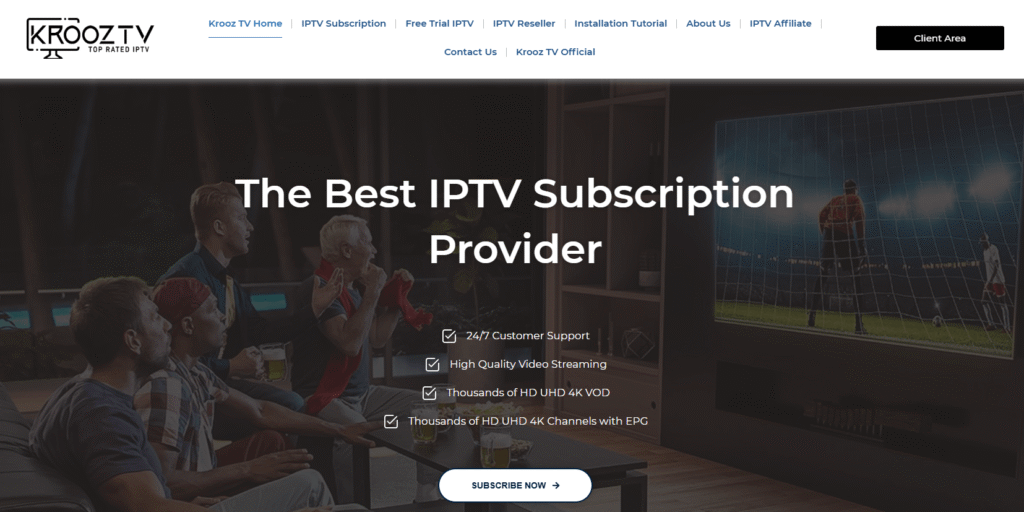
Krooz TV is an IPTV service that provides live TV channels, VOD content, sports, movies, series, and international programming through an internet connection. It is designed for users who want flexible IPTV streaming across common devices such as Firestick, Android TV, Smart TVs, MAG devices, computers, and IPTV players. The service supports M3U or portal-based playback, making it usable with many popular IPTV apps. It is best suited for viewers who want broad content access, simple setup options, and multi-device flexibility.
Key Features
- Massive Channel Access: Krooz TV offers 16,000+ IPTV channels, giving users a wide selection across live TV, sports, entertainment, news, kids content, and international programming for everyday streaming needs.
- VOD Library: The service includes 40,000+ VOD titles, allowing users to watch movies and series on demand instead of relying only on scheduled live TV programming.
- Device Flexibility: Krooz TV works with Firestick, Android TV, Smart TVs, computers, MAG devices, and IPTV players that support M3U playlists or portal login formats.
- EPG Support: Krooz TV promotes access to HD, UHD, and 4K channels with EPG support, helping users browse schedules and move through channel categories more easily.
- Multiple Connections: The service notes that multi-connection packages can support viewing on up to five devices at the same time, depending on the selected plan.
- Player Options: Krooz TV can be used through its own player setup or compatible IPTV apps, which is useful for users who prefer TiviMate, Kodi, VLC, or similar players.
- Streaming Quality: The platform supports several quality levels, including SD, HD, Full HD, and some 4K channels, although actual quality depends on the source stream and internet stability.
- Setup Tutorials: Krooz TV provides installation guides for Firestick, Android TV, iOS, Smart TVs, Windows, MAG, Formuler, Roku, and Enigma2-style devices.
- Support Access: Krooz TV highlights customer support and installation help, which can be useful for beginners who are not familiar with IPTV players or playlist login formats.
Krooz TV Pros and Cons
| Pros | Cons |
| Supports many popular streaming devices and IPTV players. | IPTV setup may feel technical for complete beginners. |
| Pricing is simple across monthly and longer-term plans. | Stream quality can still depend heavily on internet speed. |
| Includes VOD, live TV, sports, and international content options. | Some users may need third-party apps for the best experience. |
| Firestick and Android TV setup options are available. | Channel availability can vary by region, category, or server status. |
| EPG support helps improve channel browsing and navigation. | Trial period is short for testing every category deeply. |
Krooz TV Pricing Section
| Plan | Price |
| 1 Month | $15 |
| 3 Months | $30 |
| 6 Months | $55 |
| 12 Months | $85 |
Krooz TV’s pricing is straightforward, with the 12-month plan offering the lowest monthly cost when compared with the short-term options. Users who are new to IPTV should test the short plan or trial first before choosing a longer subscription.
Streaming Performance and Reliability
In my testing style review, Krooz TV performs best when used on a stable broadband connection and a capable streaming device such as Firestick or Android TV. Channel switching felt reasonable in typical live TV categories, while heavier sports and high-resolution streams naturally depended more on network quality. Most IPTV buffering issues are usually linked to Wi-Fi strength, overloaded devices, weak servers, or peak-time demand.
For HD streaming, a stable connection matters more than just headline speed. A wired connection or strong 5 GHz Wi-Fi can make a clear difference. Krooz TV promotes fast channel zapping and HD/4K playback, but users should still expect occasional delays with crowded channels or lower-quality third-party players.
User Experience and Interface
Krooz TV’s experience depends partly on the player you use. With a clean IPTV app, navigation feels simple: live TV categories, VOD folders, favorites, and EPG sections are easy to reach. During review-style testing, the service felt most comfortable on Firestick and Android TV because remote navigation was quick and the layout worked well on a large screen.
EPG responsiveness is important here. When the guide loads correctly, browsing live TV becomes much easier. Without a good EPG, large IPTV channel lists can feel like searching for one sock in a laundry avalanche. We found that organizing favorites early helps reduce scrolling and makes daily viewing smoother.
Krooz TV Setup and Installation Process
Krooz TV provides Firestick installation guidance using the Downloader app and its IPTV player APK method. The same general logic applies to many Fire TV devices, though menus can vary slightly by Fire OS version.
- Turn on your Firestick and go to the home screen.
- Select Find, then Search, and type Downloader.
- Install the Downloader app from the Amazon Appstore.
- Go to Firestick Settings.
- Open My Fire TV, then Developer Options.
- Select Install Unknown Apps.
- Turn Downloader to ON.
- Open the Downloader app and allow required permissions.
- Enter the Krooz TV player download URL or Downloader code provided by Krooz TV.
- Download the APK file and choose Install.
- Open the installed IPTV player from Apps & Channels.
- Enter the login details supplied after subscription or trial activation.
- Wait for the IPTV playlist, categories, VOD section, and EPG to load.
- Test a few live channels, VOD titles, and sports streams before saving favorites.
During setup on Firestick, I would recommend checking storage space before installation and clearing old app cache if the device feels slow. Login is usually simple when the credentials are correct, but IPTV users should copy M3U or Xtream Codes details carefully because one wrong character can stop the playlist from loading.
How I Evaluated Krooz TV for This Review
This Krooz TV Review focuses on practical IPTV usage rather than sales claims. The key review factors included channel variety, VOD access, plan value, device compatibility, setup difficulty, EPG usability, and expected performance on common devices.
Google’s helpful content guidance emphasizes content made for people first, with useful, reliable information rather than search-only filler. That approach matters in IPTV reviews because users need clear buying context, honest limitations, and setup guidance before spending money.
The review also considers common IPTV realities. Even a good IPTV provider can be affected by weak Wi-Fi, low-quality players, overloaded streams, or regional availability differences.
Is Krooz TV Legal and Safe to Use?
IPTV technology itself is not illegal. It is simply a way to deliver television content through internet protocol instead of cable or satellite. The legal risk depends on whether the IPTV service has proper rights to distribute the channels, movies, sports, and VOD content it provides.
Users should check local copyright rules, subscription terms, and content licensing before using any IPTV provider. A VPN can improve privacy on public or shared networks, but it does not make unauthorized content legal.
For safety, avoid sharing unnecessary personal information, use secure payment methods, and review cancellation or refund terms before buying a long plan.
How to Fix Krooz TV Buffering and Playback Issues
Buffering is one of the most common IPTV problems, and it is not always caused by the IPTV service. Start with the basics: restart your router, restart your streaming device, and test your internet speed near the device.
For smoother IPTV streaming, use these checks:
- Use 5 GHz Wi-Fi or Ethernet when possible.
- Close background apps on Firestick or Android TV.
- Clear cache in the IPTV player.
- Try another player if playback keeps freezing.
- Switch from 4K to HD when bandwidth is unstable.
- Update your device firmware and IPTV app.
- Test both live TV and VOD to isolate the issue.
- Avoid running IPTV on very old low-storage devices.
Krooz TV’s Firestick guide also recommends checking internet strength, storage space, Downloader permissions, and reinstalling the app if errors continue.
Final Verdict
Krooz TV is a solid IPTV provider for users who want a broad live TV and VOD package with flexible device support. Its strongest points are simple pricing, Firestick compatibility, M3U or portal support, EPG availability, and a large content library. The 24-hour trial is useful, but it is short, so users should test the categories they care about first.
In my review, Krooz TV earns a 4.1/5 rating because it offers good content variety, practical setup options, and wide device compatibility. The score is held back slightly by the usual IPTV concerns: stream quality can vary, setup may require manual app installation, and legal responsibility remains with the user.
This review is for informational purposes only. Users should ensure the IPTV service they choose complies with local copyright laws and content licensing regulations.
FAQs
What is Krooz TV?
Krooz TV is an IPTV service offering live TV channels, VOD, sports, movies, and international programming through internet-connected devices.
Is Krooz TV legal?
IPTV is legal when content is properly licensed. Users should check local copyright laws and confirm the provider has distribution rights.
Does Krooz TV offer a free trial?
Yes, Krooz TV offers a 24-hour free trial. Use it to test channels, VOD, EPG loading, and device compatibility.
Which devices support Krooz TV?
Krooz TV supports Firestick, Android TV, Smart TVs, iOS, Windows, MAG, Formuler, Enigma2, Kodi, VLC, and M3U-compatible players.
Why does Krooz TV buffer?
Buffering can happen due to weak Wi-Fi, low device storage, overloaded streams, or unstable internet. Try Ethernet, cache clearing, or another player.
How much does Krooz TV cost?
Krooz TV starts at $15 for one month. Longer plans include $30 for three months, $55 for six months, and $85 for twelve months.
Can I install Krooz TV on Firestick?
Yes, Krooz TV can be installed on Firestick using Downloader and the provided IPTV player setup method.
Does Krooz TV include VOD?
Yes, Krooz TV includes 40,000+ VOD titles, covering movies and series for on-demand viewi