TiviMate vs IPTV Smarters: Which IPTV Player Is Better for Spain?
TiviMate is the better choice for Spain if you mainly watch IPTV on Firestick, Android TV, or an Android TV box. IPTV Smarters makes more sense if you want one app across mobile, Smart TV, Apple devices, and desktop. Neither app gives you Spanish channels, sports, movies, or VOD on its own. In this guide, you will see how both apps compare for setup, device support, EPG, daily viewing, safety, and real use in Spain.
Quick Verdict: Which IPTV Player Should You Choose in Spain?
Choose TiviMate if your main screen is the TV in your living room. It feels closer to a normal cable TV layout, with a strong guide view, smoother channel browsing, and better remote-control navigation.
Choose IPTV Smarters if you want something easier to set up across several devices. It is often the more comfortable pick for users who watch on a phone one day, a Smart TV the next, and maybe a laptop while traveling. It is not as polished on a TV screen as TiviMate, but its flexibility is hard to ignore.
Top IPTV Picks
Verified this month







TiviMate vs IPTV Smarters: Key Differences at a Glance
| Feature | TiviMate | IPTV Smarters |
| Best for | Firestick, Android TV, Android TV boxes | Mobile, Smart TV, Apple devices, desktop |
| Interface style | TV guide focused | Dashboard style layout |
| Beginner setup | Slightly more involved | Easier for many new users |
| Playlist support | M3U and playlist-based setup | M3U and Xtream Codes login |
| EPG experience | Strong for big-screen viewing | Good when the provider guide is accurate |
| Catch-up support | Depends on the provider | Depends on the provider |
| Best Spain use case | Daily live TV on a main screen | Watching across several devices |
| Main drawback | Not ideal for phones or tablets | TV interface can feel less refined |
What Are TiviMate and IPTV Smarters?
TiviMate and IPTV Smarters are apps that play IPTV playlists from a separate provider. IPTV means television delivered through an internet connection instead of cable or satellite.
A common mistake is thinking these apps include channels by default. They do not. You need a legal IPTV subscription, M3U playlist, Xtream Codes login, or another supported playlist format from a provider that has permission to distribute the content.
Device Compatibility in Spain
Device support is where the decision usually becomes obvious. Spain is not the tricky part. Your screen is.
Best Option for Firestick and Android TV
TiviMate is the stronger pick for Firestick, Android TV, and Android TV boxes. The layout is made for a remote, so moving through channels, EPG rows, favorites, and groups feels more natural.
This is helpful if you watch Spanish live TV, regional channels, football, news, or family entertainment on a big screen. The small annoyance is that TiviMate takes a little more setup effort at the start. Once configured properly, though, it feels closer to a regular TV experience.
Best Option for iPhone, iPad, Apple TV, Smart TV, and Desktop
IPTV Smarters fits better when you want wider device coverage. It is a stronger option for people who move between iPhone, iPad, Smart TV, Windows, macOS, or Apple TV.
That flexibility is handy for families in Spain. One person can watch on the main TV, another on a tablet, and someone else on a laptop. TiviMate does not match that kind of cross-device convenience.
Setup and Playlist Support
TiviMate gives you more control, but it also expects a little more patience. You usually add a playlist URL, connect the EPG, then organize groups, favorites, and playback settings.
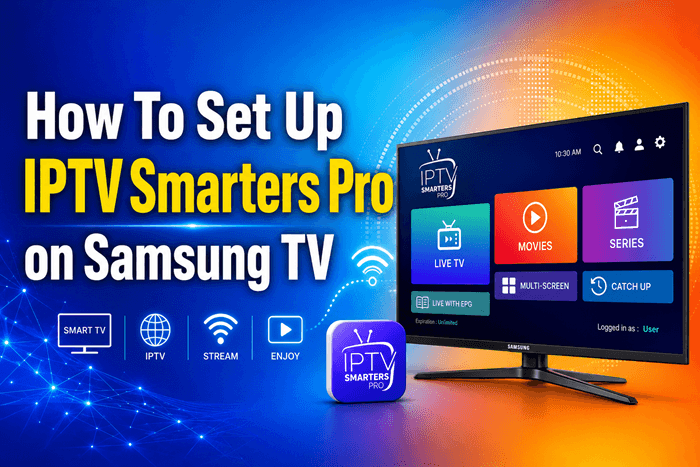
IPTV Smarters feels easier for many beginners because providers often share Xtream Codes login credentials. That usually means entering a server URL, username, and password. M3U playlists can also be added when supported.
Before choosing either app, confirm these points with your IPTV provider:
- Playlist format: M3U, M3U8, or Xtream Codes
- EPG link or built-in TV guide support
- Catch-up availability
- Number of allowed devices
- Whether the content source is licensed and transparent
Interface and Daily Viewing Experience
TiviMate is better if you like a proper TV guide. It handles channel groups, favorites, EPG browsing, and search in a way that feels organized on a large screen. If your playlist includes many Spanish, regional, and international channels, this makes a real difference.
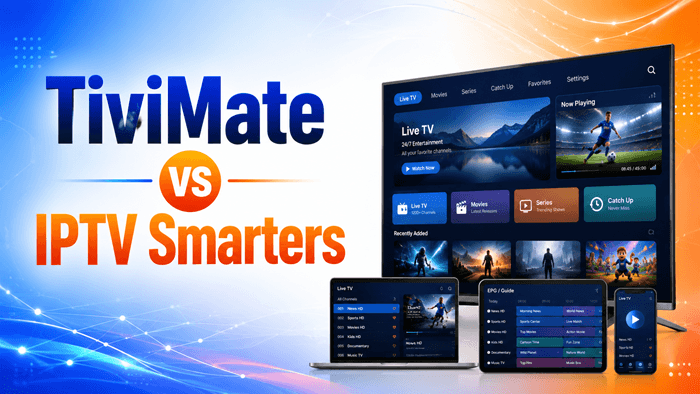
IPTV Smarters uses a more app-like dashboard with sections such as live TV, movies, series, and catch-up when available. It is simple and less intimidating, especially for beginners. The trade-off is that it can feel less smooth than TiviMate when used daily on a TV with a remote.
EPG, Catch-Up, Recording, and Multi-Playlist Features
EPG stands for Electronic Program Guide. It shows what is currently playing and what comes next. For Spain users, this is especially important for football, news, films, and regional programming.
TiviMate usually gives a better EPG experience because its design centers on live TV browsing. IPTV Smarters can also work well, but the result depends heavily on the guide data from your IPTV provider.
Catch-up and recording are not guaranteed just because the app has related options. Your provider, stream permissions, device storage, and app version all affect whether these features work. In simple words, the app is the remote, but the provider controls much of the signal.
Performance, Stability, and Internet Requirements in Spain
A polished IPTV app cannot rescue a weak stream or poor Wi-Fi. If channels freeze, buffer, or fail to open, the problem often comes from the IPTV provider, router, internet connection, or overloaded servers.
For smoother viewing in Spain, use fiber internet where possible and connect your TV box with Ethernet instead of relying on crowded Wi-Fi. Also test channels during busy evening hours. A playlist that works fine at noon can behave very differently during a major football match.
Legal and Safety Considerations for IPTV Users in Spain
TiviMate and IPTV Smarters are legal media players when used with authorized content sources. The risk comes from the IPTV provider, not the app itself.
Be careful with providers promising every premium sports channel, movie package, and international channel for a suspiciously low price. Safer signs include clear company identity, transparent terms, proper payment pages, responsive support, and no vague claims like “all channels worldwide.” If it looks too cheap to be real, the red flag is waving hard.
Common Problems and Quick Fixes
| Problem | Likely cause | Quick fix |
| EPG is missing | Wrong guide link or weak guide data | Add the correct EPG URL and refresh the guide |
| Channels buffer | Weak server, poor Wi-Fi, or busy network | Try Ethernet or contact the provider |
| Login fails | Incorrect Xtream Codes credentials | Recheck server URL, username, and password |
| Channel groups look messy | Poor playlist organization | Hide unused groups and save favorites |
| Catch-up does not work | Provider does not support it | Ask the provider if catch-up is included |
Which App Is Better for Different Spain Use Cases?
Best for Firestick Users
TiviMate is the better option for Firestick users in Spain. It works well with a remote and feels built for everyday live TV viewing.
Best for Families and Multi-Device Users
IPTV Smarters is better for families using several screens. It gives more flexibility when people want to watch on phones, tablets, Smart TVs, and computers.
Best for Advanced IPTV Users
TiviMate is better for users who care about playlist control, EPG layout, favorites, and a cleaner big-screen setup. IPTV Smarters is better when device coverage matters more than deep customization.
Final Recommendation: TiviMate or IPTV Smarters for Spain?
TiviMate is the better IPTV player for Spain if your main device is Firestick, Android TV, or an Android TV box. It gives a more comfortable TV-style experience for live channels, EPG browsing, and daily viewing.
IPTV Smarters is the better choice if you want easier setup and wider device support. The practical answer is simple: use TiviMate for the main TV, use IPTV Smarters for multi-device viewing, and always connect either app to a legal IPTV source.
FAQs
Is TiviMate better than IPTV Smarters for Firestick in Spain?
Yes, TiviMate is usually better for Firestick in Spain because it is designed for big-screen IPTV viewing and remote-control navigation. It works well for live TV, favorites, EPG browsing, and organized channel groups.
Does IPTV Smarters work better than TiviMate on iPhone or iPad?
Yes, IPTV Smarters is generally better for iPhone or iPad users because TiviMate is mainly focused on Android TV-style devices. IPTV Smarters is more suitable for users who need IPTV on mobile and non-Android TV devices.
Do TiviMate and IPTV Smarters include Spanish TV channels?
No, TiviMate and IPTV Smarters do not include Spanish TV channels by default. They are IPTV player apps, so users must add a legal playlist or provider login that supplies licensed Spanish channels and guide data.
Are TiviMate and IPTV Smarters legal in Spain?
Yes, IPTV player apps are legal in Spain when used with authorized content sources. Legal risk comes from unlicensed IPTV providers that distribute paid sports, movies, or TV channels without permission.
Which app is easier for beginners to set up with IPTV playlists?
IPTV Smarters is usually easier for beginners because many providers support Xtream Codes login. TiviMate offers more control, but it takes more manual setup for playlists, EPG, and channel organization.
Can I use the same IPTV subscription on both TiviMate and IPTV Smarters?
Yes, you can often use the same IPTV subscription on both apps if your provider allows multiple devices and supports compatible playlist formats. Check the provider’s device limit before logging in on several apps.