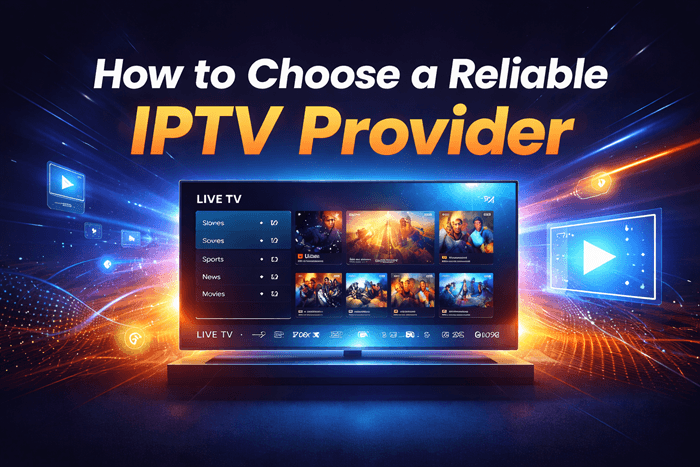
How to Choose a Reliable IPTV Provider
The IPTV market is crowded, and most services look identical on paper. Long channel lists, bold uptime claims, competitive pricing — it all blurs together until you’re actually trying to watch something and the stream keeps dropping. This guide cuts through that noise with specific things to check before you hand over any money.
What Makes an IPTV Provider Reliable?
IPTV, short for Internet Protocol Television, streams live channels and on-demand content over your internet connection rather than through cable or satellite. But reliability here means something more specific than just “it works.” It means streams that hold up on a Saturday night, a programming guide that’s actually accurate, and a provider that hasn’t disappeared six months from now.
That kind of consistency comes from real infrastructure — owned or leased servers, a proper content delivery setup, and someone actually maintaining the backend. Every checkpoint in this guide ties back to those basics.
Top IPTV Picks
Verified this month








Key Factors to Evaluate Before Subscribing
Stream Quality and Uptime Guarantees
Stream quality is where most providers either earn or lose trust. Full HD and 4K options are worth having, but resolution claims mean very little if the servers fall apart whenever a major match kicks off. The real test is how a stream performs under pressure, not during a quiet Tuesday afternoon.
Uptime — how consistently the streams are actually live and accessible — should sit at 99.5% or higher as a working minimum. Below that, outages become a regular annoyance rather than the occasional exception. Worth asking any provider directly: do they run their own CDN (Content Delivery Network), which spreads server load across multiple locations, or are they routing everything through a single point that collapses under demand?
Channel Count vs. Channel Quality
The “20,000+ channels” headline is everywhere, and it means almost nothing. A meaningful chunk of those entries tend to be dead links, duplicate feeds, or broadcasts in languages you’ll never watch. What actually matters is how many channels work consistently at the advertised quality — a figure most providers won’t volunteer.
EPG accuracy is a more honest signal. The EPG is the on-screen schedule that tells you what’s playing and when. A provider who keeps that updated is almost certainly maintaining everything else too. One with a broken or months-out-of-date guide is telling you something about how they run the whole operation.
Video on Demand (VOD) Library
Live TV and VOD are worth assessing separately because the weaknesses show up in different places. For on-demand content, check how current the library actually is — do recent releases appear within a reasonable window, or is the catalogue sitting months behind? Also worth checking: whether titles have proper descriptions and thumbnails, or whether the whole section looks like it was imported from somewhere and never touched again. A messy, mislabelled VOD library is a reliable sign that backend maintenance isn’t a priority.
Device Compatibility and App Experience
A solid provider should cover the main bases: Firestick, Android TV boxes, Smart TVs, iOS and Android phones, and MAG set-top boxes. Wide device support tends to correlate with a more professionally run operation — it takes ongoing effort to keep apps updated across that many platforms.
App stability matters just as much as the list of supported devices. If the app crashes mid-match or takes an unusually long time to load a film, the experience falls apart regardless of what the stream quality looks like on paper. Also check how many simultaneous connections the plan includes. Most households realistically need at least two; plans offering three or more make much more practical sense for shared use.
Legal vs. Grey Market IPTV: What You Need to Know
IPTV as a technology is legal. The question is always whether the provider has the rights to broadcast what they’re offering. Internet-based TV services like YouTube TV, Hulu Live, and Sling TV have licensing agreements in place for the channels they carry — though they don’t typically describe themselves as IPTV products. Grey market and black market providers skip that step entirely and redistribute content they have no rights to.
Beyond the obvious legal exposure, this creates a practical reliability problem. Unlicensed operations get shut down regularly, sometimes with little warning, and when they do, subscribers lose access immediately with no refund in sight. A provider with no verifiable company identity, no business address, and no licensing transparency is always at risk of disappearing — and taking your subscription payment with them.
Red Flags That Signal an Unreliable Provider
Some warning signs are easy to spot once you know what to look for:
- No trial or refund window: Any provider confident in their product will offer at least 24 to 48 hours to test it. No trial is a red flag.
- No real support contact: A Telegram username as the only contact method is not a support structure.
- Prices below $5 a month: At that price point, you’re almost certainly dealing with a reseller who has no infrastructure of their own and no accountability when things break.
- Big channel counts, no working channel data: Volume without transparency is a distraction.
- Suspiciously clean reviews: Every legitimate service accumulates at least some criticism. If you can’t find any, look on Reddit or independent forums rather than affiliate review sites.
How to Test an IPTV Provider Before You Pay
A free trial is only as useful as how you use it. Casually browsing a few channels on a quiet afternoon tells you almost nothing. Here’s what a proper test actually looks like:
- Test during peak evening hours in your local timezone: Between 7 PM and 10 PM is when server load is highest and where weaker providers start to show cracks.
- Run two or three live sports streams at the same time: Simultaneous load is exactly where underpowered setups fall apart.
- Open ten or so VOD titles across different categories: Check load speed, picture quality, and whether any files are broken or mislabelled.
- Send a support message about something minor: The speed and usefulness of the response tells you a lot about what happens when something actually goes wrong.
- Try every device you’d normally use: Inconsistency across devices usually points to poorly maintained apps.
If the “trial” turns out to be a cherry-picked demo with no real account access, that’s not a trial. Move on.
Pricing: What’s Reasonable and What’s a Warning Sign
Prices shift frequently and vary by region — treat these ranges as a general guide rather than fixed figures.
| Tier | Monthly Range | What to Expect |
| Budget / Grey Market | $3 to $8 | Reseller setups, unpredictable reliability, high turnover risk |
| Mid-Tier | $10 to $18 | Reasonable infrastructure, working support, consistent quality |
| Premium / Licensed | $20 to $65+ | Proper licensing, maintained apps, dependable uptime |
Price isn’t a guarantee of quality, but it does reflect how much has been invested in the backend. Mid-range providers with a genuine trial period and a real support channel tend to offer the most sensible balance for everyday use.
Reliable IPTV Provider
Xtreme HD IPTV
Xtreme HD IPTV offers over 20,000 live TV channels, with a focus on high-quality HD streaming. It provides a wide variety of sports, movies, and international channels, all accessible through multiple devices.
Link: https://xtremehdsiptv.org/
VocoTV
VocoTV is a versatile IPTV service offering both live TV and on-demand content. It includes a large selection of channels and allows users to enjoy HD quality without buffering. VocoTV also supports streaming across various platforms.
Link: https://vocotv.com/
OTTOcean
OTTOcean provides reliable IPTV with a broad selection of global channels. Its service includes premium content such as movies, sports, and live TV, all available in high-definition. The platform also features user-friendly navigation.
Link: https://ottocean.com/promotion/
Worthystream
Worthystream is known for its high-quality IPTV service, offering access to thousands of channels and movies. It supports streaming across multiple devices with minimal interruptions. Worthystream is especially recognized for its consistent performance and great value for money.
Link: https://worthystream.com/home/
Customer Support: An Underrated Reliability Signal
Support quality is something most people only think about after something breaks. By then the subscription is already paid. The better approach is to test it during the trial — send a question, see how long it takes to get a real answer rather than a scripted non-response.
Good providers offer round-the-clock help via live chat or a ticketing system, and their responses actually solve the problem rather than cycling through a “restart your device” checklist. Independent forums and subreddits tend to give a more honest picture of what support actually looks like over time than anything on the provider’s own website.
Conclusion
A reliable IPTV subscription comes down to a few things that are easy to overlook when you’re just comparing channel counts and monthly fees: server quality, EPG accuracy, app stability, and whether there’s anyone competent on the other end of a support request. Use the trial period seriously, watch for the red flags, and weight long-term stability over the cheapest price on the list.
Frequently Asked Questions
How do I know if an IPTV provider is legitimate?
Look for a verifiable business identity, transparent pricing, and a working support channel. Providers with no company details, no licensing information, and no real contact method are high-risk regardless of how good their channel list looks.
What is a good uptime percentage for IPTV?
Aim for providers that can demonstrate at least 99.5% uptime as a baseline. Anything notably below that means frequent interruptions, particularly during live events when demand on the servers is at its highest.
Is a free IPTV trial a reliable way to test quality?
Yes, but only if you use it properly. Test during peak evening hours, run multiple streams simultaneously, check VOD load times, and contact support. A provider offering only a curated demo rather than real account access is not giving you a genuine trial.
How many simultaneous connections should an IPTV plan include?
Most households need a minimum of two. Plans with three or more connections at mid-range pricing are generally a better fit for anyone sharing the subscription across multiple devices.
Why does my IPTV buffer even with fast internet?
The problem is almost always on the provider’s end rather than yours. Overloaded servers, a weak content delivery setup, or peak-hour congestion are the most common causes — none of which your internet speed can fix.
What happens if my IPTV provider gets shut down?
Unlicensed providers shut down without warning when authorities act, and subscribers typically lose access instantly with no refund. It’s one of the more concrete long-term risks of using grey market options rather than licensed alternatives.